How to Use Your Virtual Visa Card
Congratulations on Your Cash Back Reward!
You've received your Virtual Visa Card from NuVision Auto Glass! This is a legitimate Visa-backed reward. Follow the steps below to activate and start using your card in just a few minutes.
Step-by-Step Guide
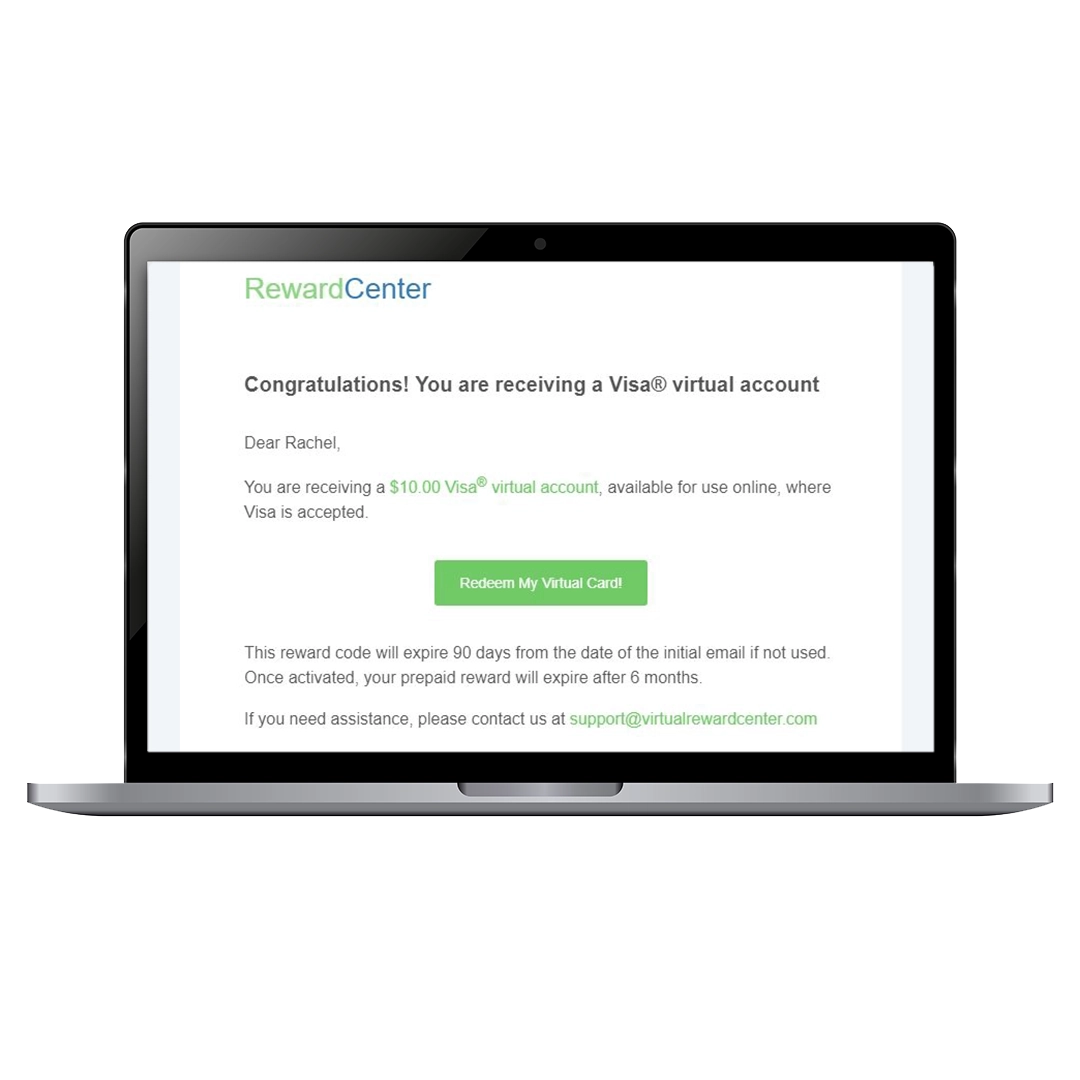
Step 1: Open the Reward Email
You'll receive an email with a link to the Virtual Reward Center activation page. Click the link to begin.
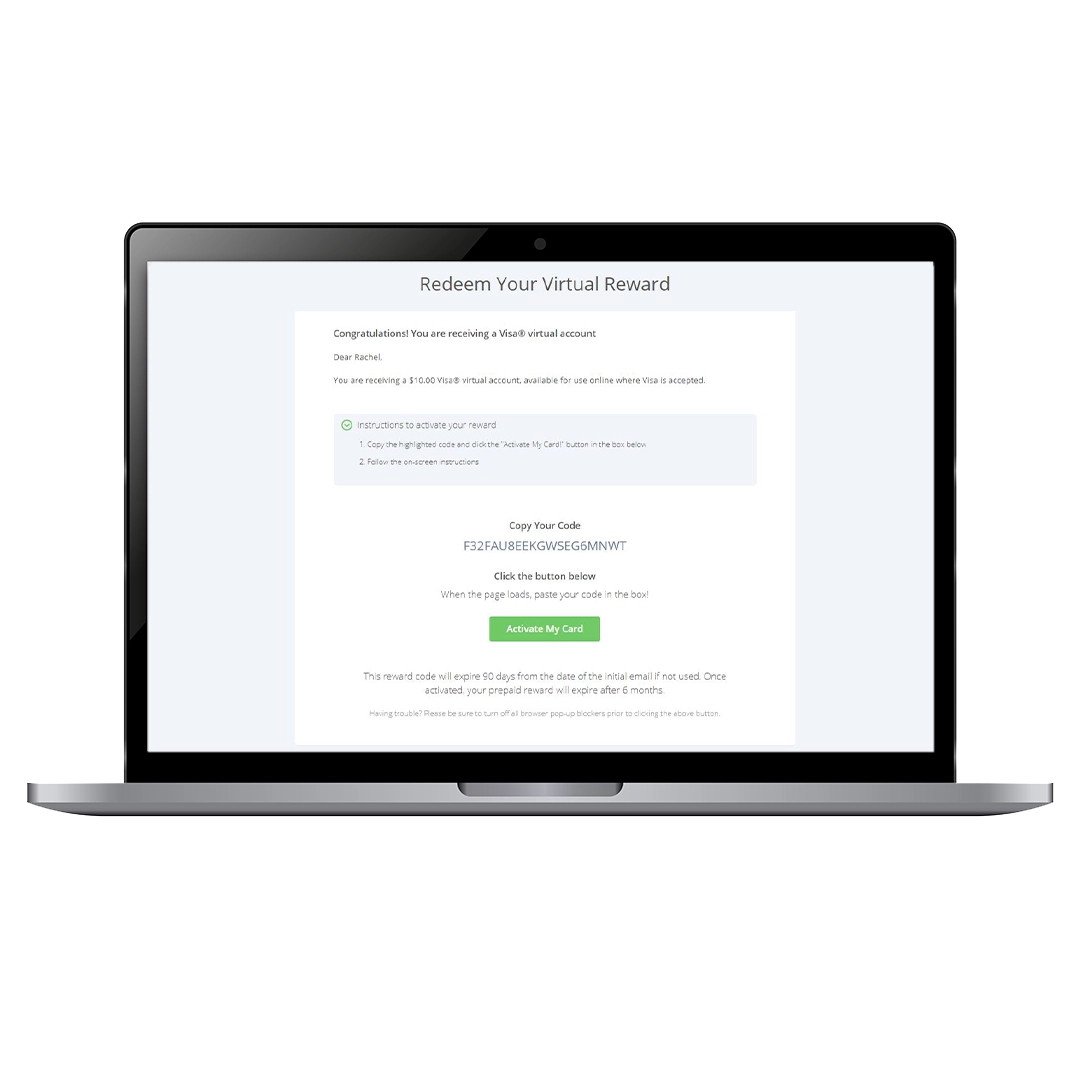
Step 2: Copy and Paste Your Code
When you visit the Rewards landing page, you’ll see your redemption code displayed.
- Copy the activation code.
- Click the activation link.
- Paste your code and click Submit.
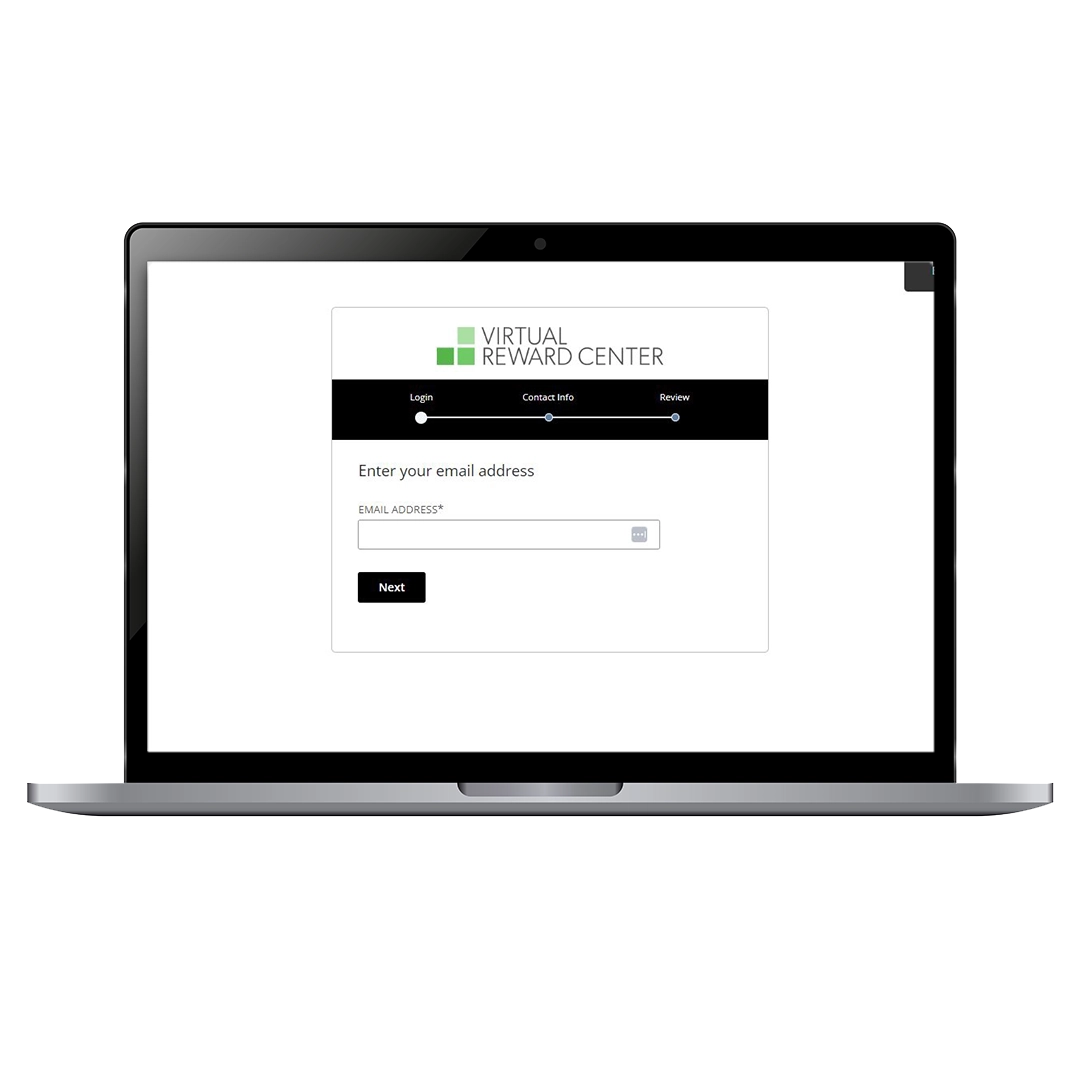
Step 3: Enter Your Email Address
You’ll be asked to enter your email address to continue with activation.
Step 4: Account Recognition
If the email matches an existing account, you'll be asked to log in.
If not, you will be prompted to create a new account.
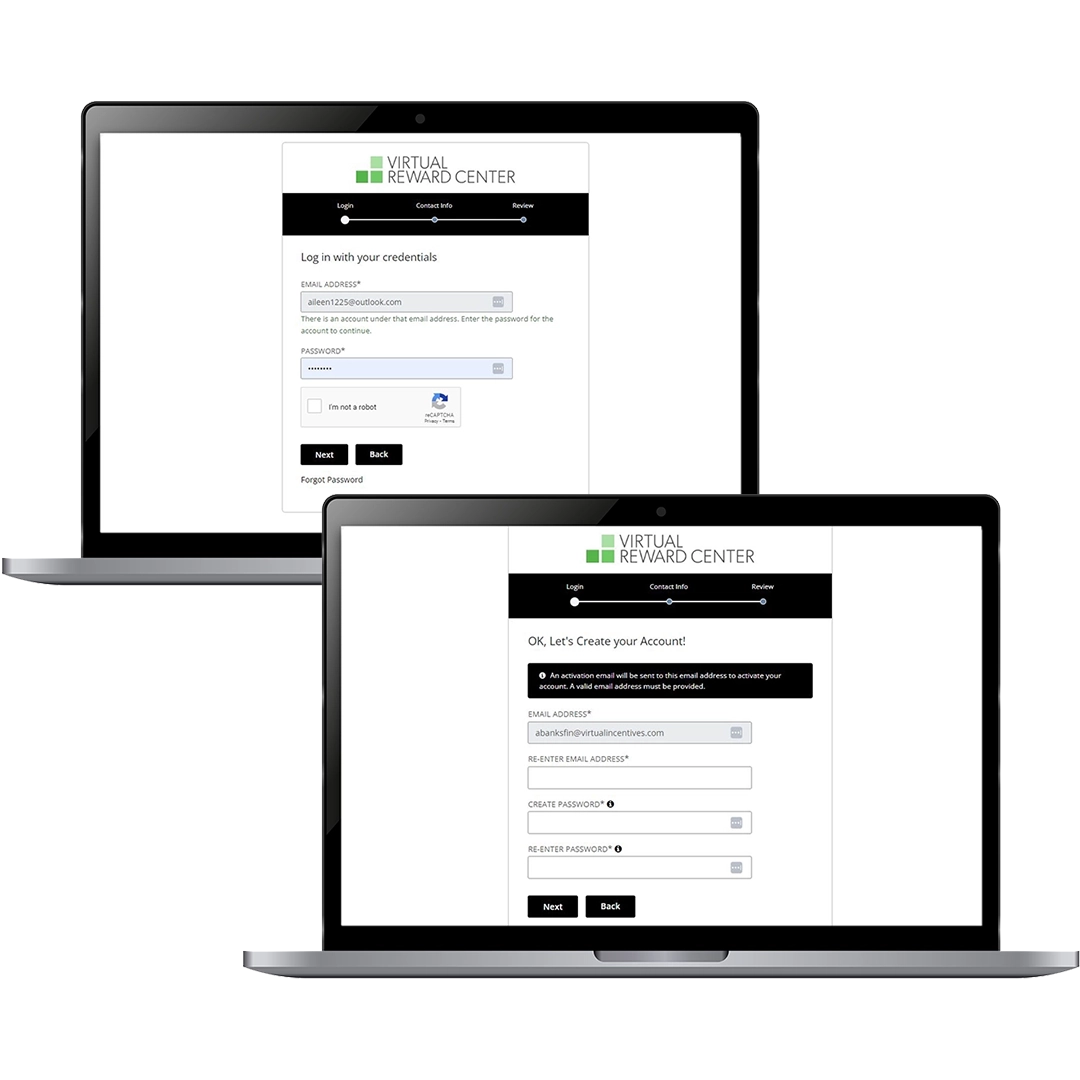
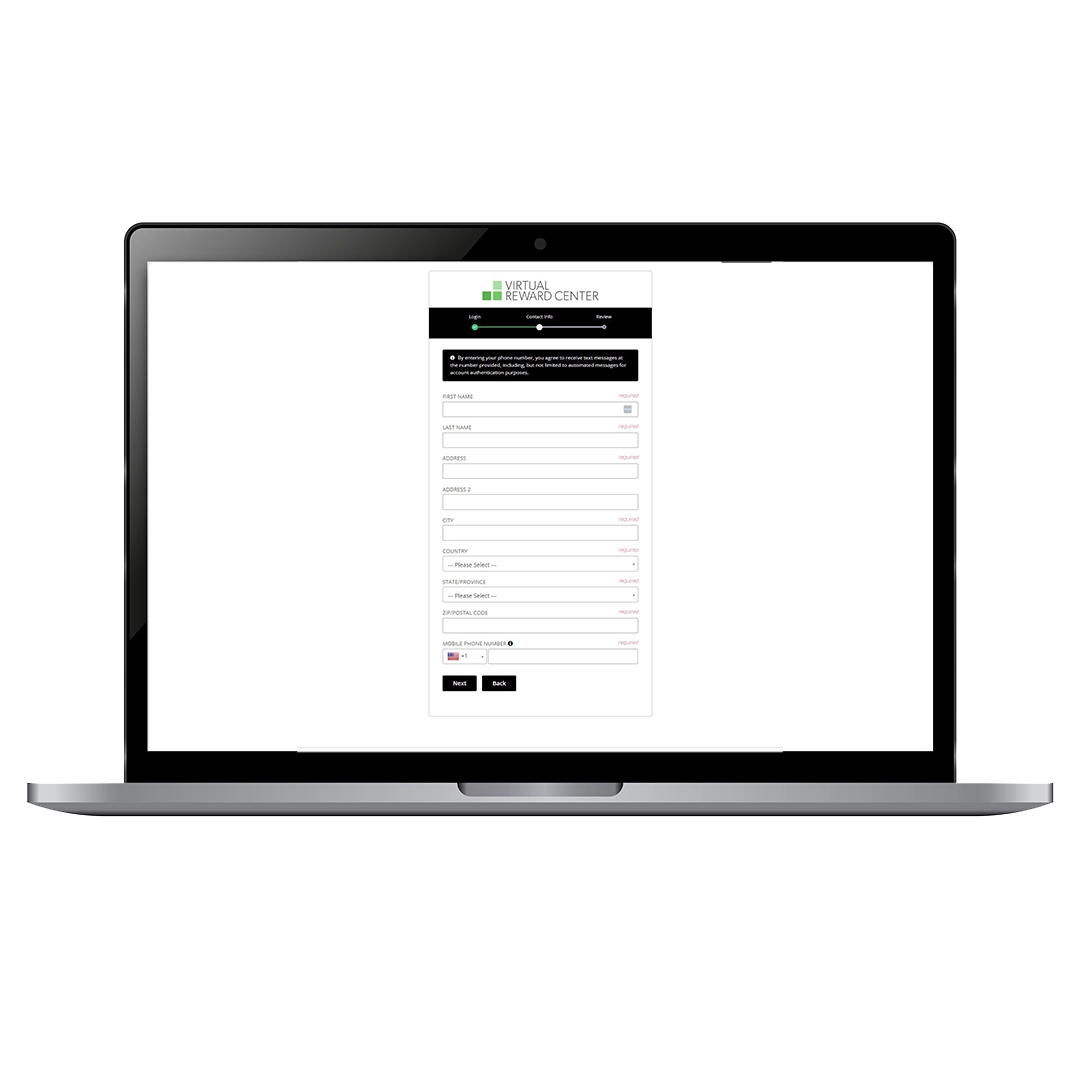
Step 5: Fill Out Contact Information
Complete the required information form displayed on the screen.
Step 6: Review & Accept Terms
Confirm your information, review the Terms & Conditions, then proceed.
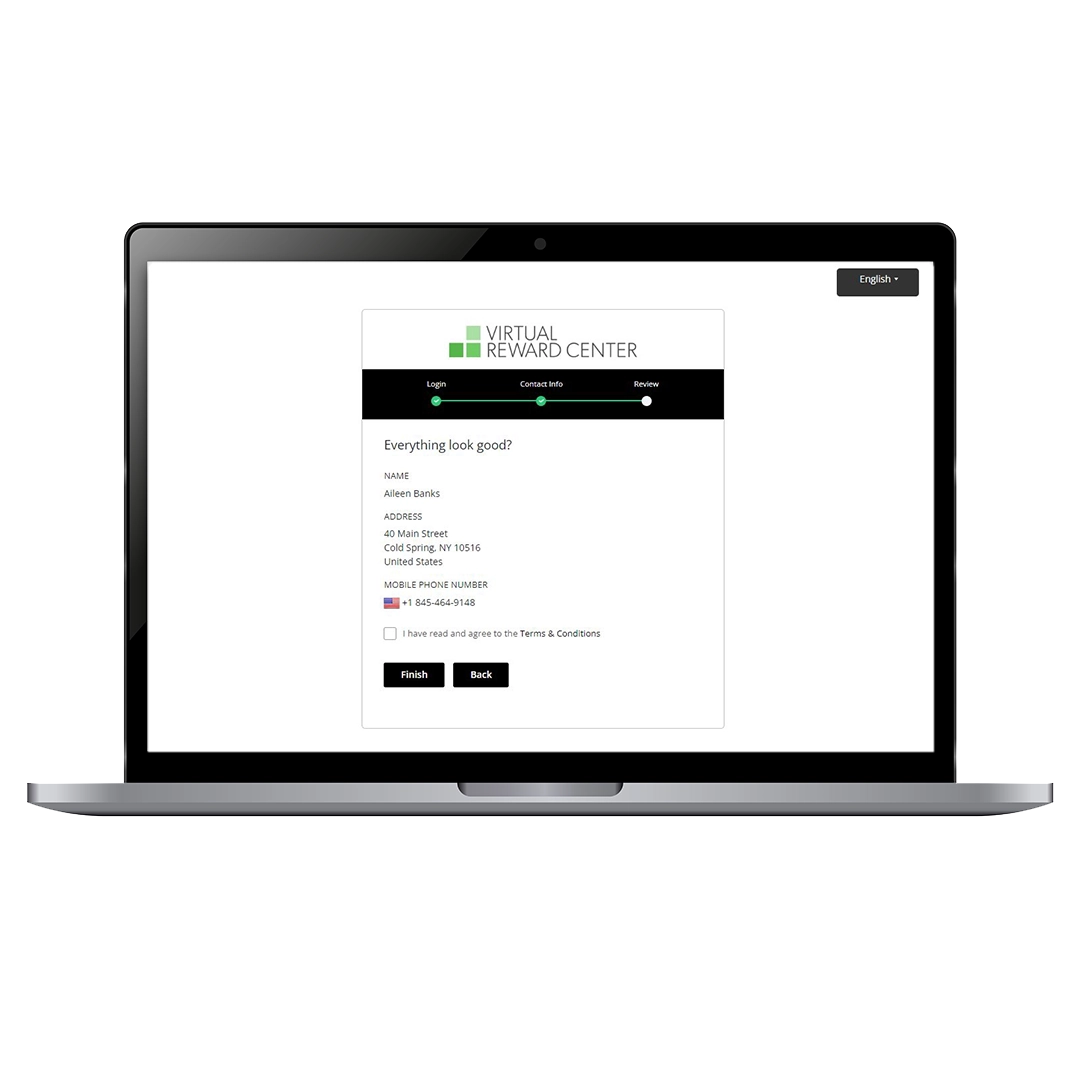
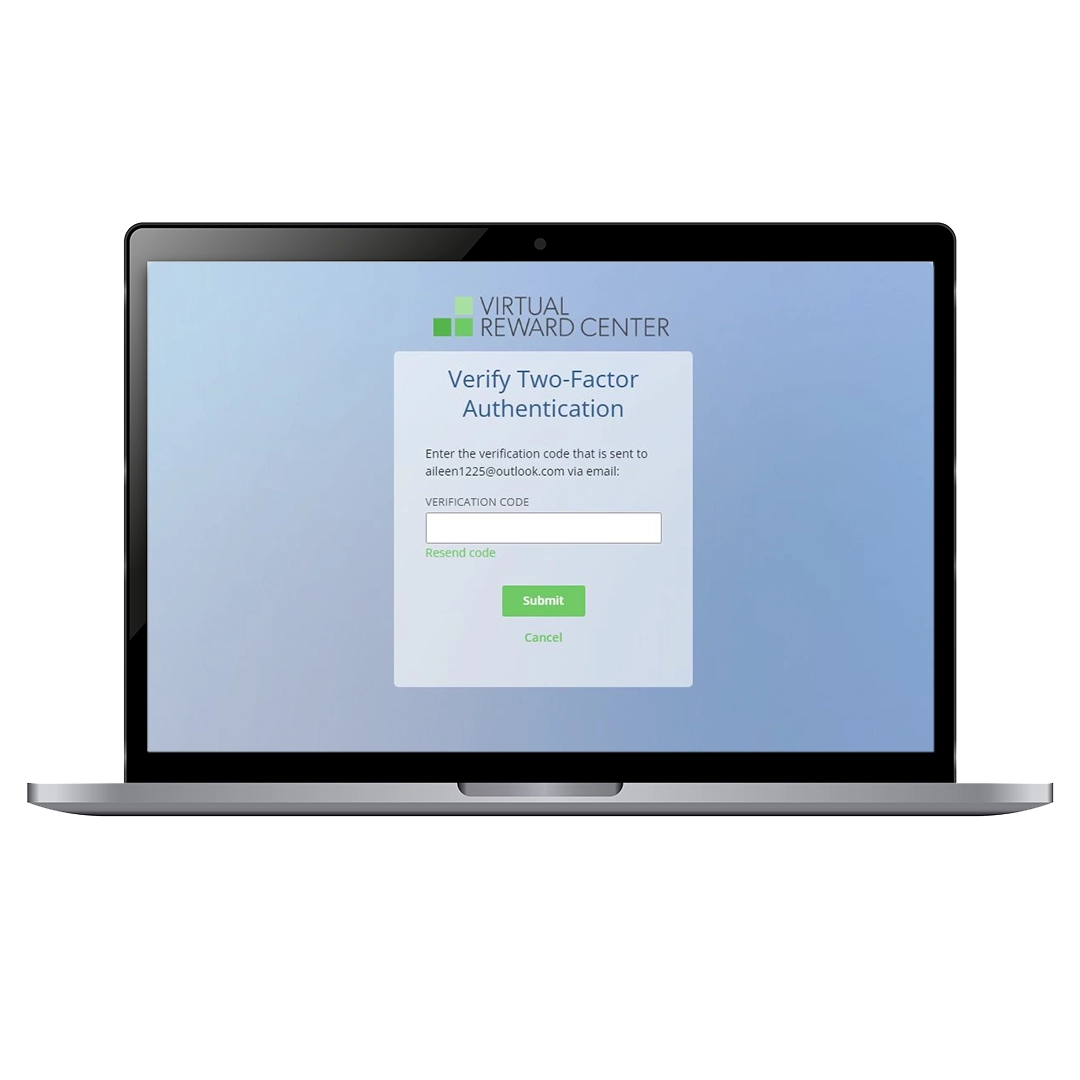
Step 7: Two-Factor Authentication
You will receive a one-time authentication code via email. Enter it to complete activation.
Step 8: Your Card is Activated!
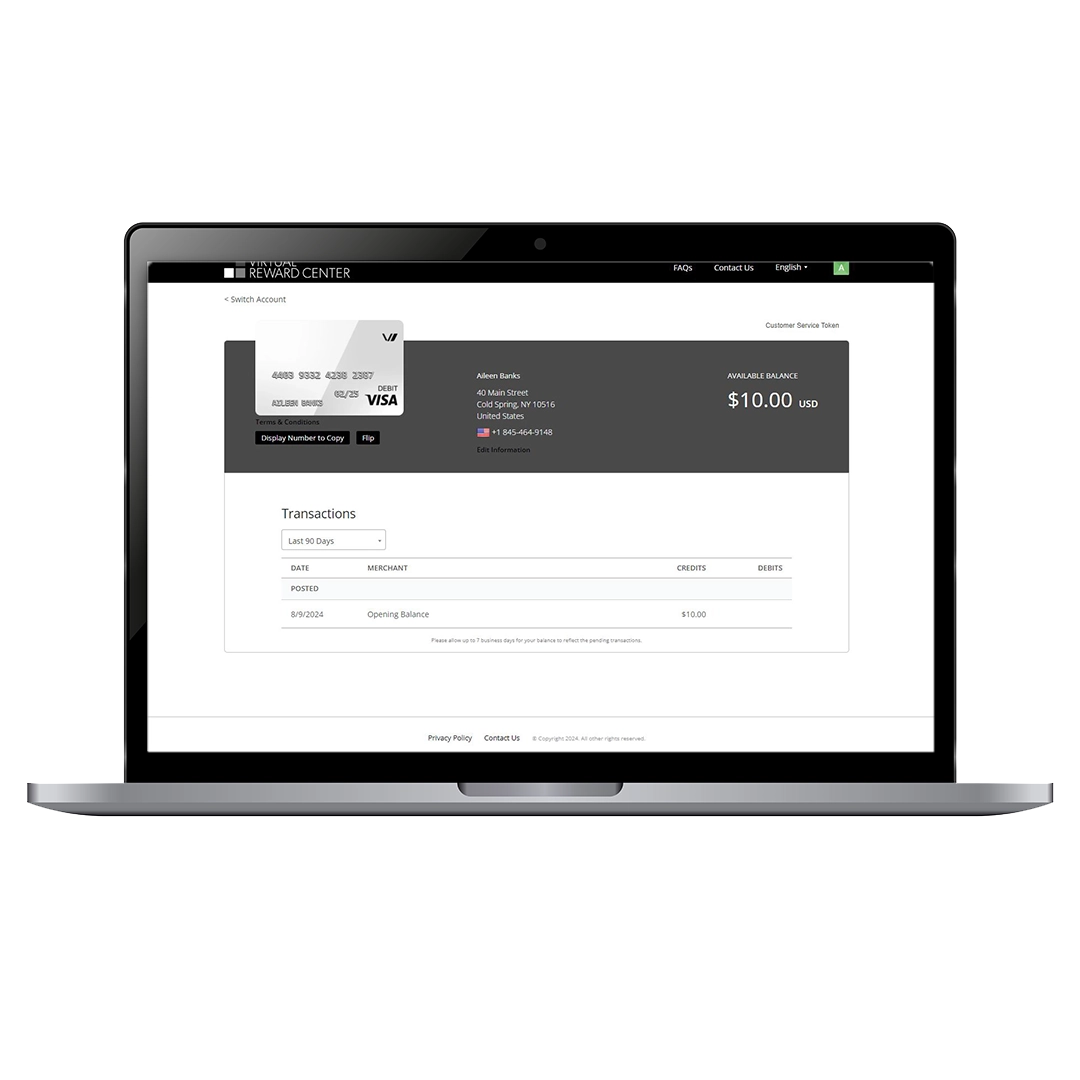
You can now log in anytime at: cardholder.virtualrewardcenter.com
- View your card details
- Check your balance
- Review your transactions
⚠️ Important Note: Where Your Card Will NOT Work
Your Virtual Visa Card is valid for most online purchases where Visa is accepted.
However, it cannot be used for:
- ❌ Phone bill payments
- ❌ Utility or bill payments
- ❌ Purchasing other gift cards
- ❌ Casinos
- ❌ Gambling websites
Frequently Asked Questions
Where can I use my Virtual Visa Card?
Anywhere online where Visa is accepted—Amazon, Walmart, Target, restaurants, retail, and travel sites.
Can I use it in stores?
No, this card is virtual only and must be used online.
Does the card expire?
Yes, the expiration date will be shown in your dashboard. Please use your balance before then.
What if my payment is declined?
Make sure the purchase isn’t restricted (phone bills, gift cards, gambling, etc.). -Ensure the purchase amount doesn’t exceed your card balance.
Can I split payments with this card?
Yes, many online retailers allow split payments (part with your Virtual Visa, part with another card).
How do I check my balance?
Log in at cardholder.virtualrewardcenter.com anytime to view your balance and transaction history.